
Recording Video
Introduction
Recording video with a smartphone is a simple and flexible way to create personalized video for your online courses. Whether you’re introducing a topic, interviewing a colleague, or capturing a relevant moment in your field, your mobile device can help you bring your course material to life. This guide includes easy tips to help you make better videos—whether you’re new to recording or have done it before.
A Closer Look
Proven Techniques for Recording Yourself or Other Subjects
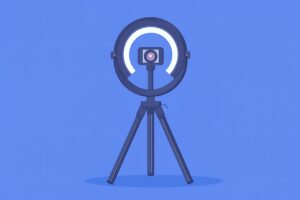
Keep the following helpful tips in mind no matter who or what you’re recording. Following these simple guidelines will ensure your video looks and sounds good.
- Stabilize your camera. Use a tripod or stable surface to keep the camera steady and level. Avoid handheld recording unless movement is intentional.
- Clean the lens before recording. This one seems obvious but often slips under the radar. Before you record, remember to wipe your smartphone’s camera lens with a soft cloth to ensure a clear image.
- Use soft, even lighting. A ring light is ideal for consistent, flattering lighting. Position it just behind or around your smartphone at eye level. If a ring light isn’t available, face a window or use a lamp with soft, diffused light.
- Minimize background noise. Choose a quiet location. Silence phones, alerts, and any other nearby electronics. Use an external microphone if you have one available or if you record frequently.
- Use landscape orientation. Record in horizontal (landscape) mode unless your course platform or intended use specifies vertical video.
- Choose a clean and professional background. Use a tidy, neutral space that doesn’t distract from the video. Avoid clutter, bright back-lighting, or distracting artwork, furniture, or other items in the background.
- Test your setup. Record a short test clip to check your framing, lighting, and audio quality. Adjust these things as needed before you record your entire video.
Recording Yourself (e.g., Course Introductions, Announcements)
If you’re recording yourself, these tips will help you appear more professional and engaging on camera, even if you’re new to video.
- Position the camera at eye level. Place your phone so the lens is level with your eyes. This creates a more engaging and natural connection with your audience.
- Look directly at the camera. Focus on the lens—not your image on the screen—to simulate eye contact with your audience.
- Frame yourself properly. Center yourself in the shot with your eyes about one-third from the top of the frame. Don’t crop off your head or leave too much space above it.
- Speak naturally and clearly. Use a conversational tone. Bullet points or notes can help guide you, but avoid reading scripts word-for-word.
- Be mindful of your posture and body language. Sit or stand with good posture. A slight smile and expressive tone go a long way in keeping students engaged as well.
Recording Someone Else (e.g., Interviews, Guest Speakers)
When you’re recording someone else, these tips will help you set up a good recording environment and capture clear, smooth video and audio.
- Frame your shot using the rule of thirds. For interviews, position the subject slightly off-center with space in the direction they’re facing. Keep their eyes about one-third from the top of the screen.

- Light the subject evenly. Use a ring light or front-facing natural light to illuminate the speaker’s face clearly. Avoid placing the subject with a bright light source behind them.
- Cue the speaker before and after. Use a short countdown (“3, 2, 1…”) to help the subject prepare. After they finish speaking, wait a moment before stopping the recording to avoid cutting them off.
- Keep the camera still throughout. Let the subject stay in frame and avoid panning or zooming unless you have a clear reason to do so.
- Coach the subject briefly. Before recording, remind the speaker to speak clearly, look at the camera, and pause briefly before and after speaking. This helps non-professionals appear more confident on camera.
Recording video on your smartphone is a great way to connect with students and enhance your courses. With these simple tips, you’ll be able to create clear, engaging video you’ve recorded on your own. Don’t worry if you’re new to it—just take your time, practice, and have fun!
Additional Resources
- Engaging Students Through Asynchronous Video-Based Discussions in Online Courses from Educause
- How to Shoot Great Video with Your Smartphone by The Verge
- Instructor-Created Videos from the Academy for Teaching and Learning at Baylor University