
Sharing Photos in Discussions
Overview
Students post photographs along with their written responses to the discussion board.
Why Use This?
Posting photos with written responses engages and motivates students and is a great way to connect online. It can also draw attention to real-life examples of course concepts.
How Does It Work?
In the discussion prompt, students are asked to post photos along with their written responses.
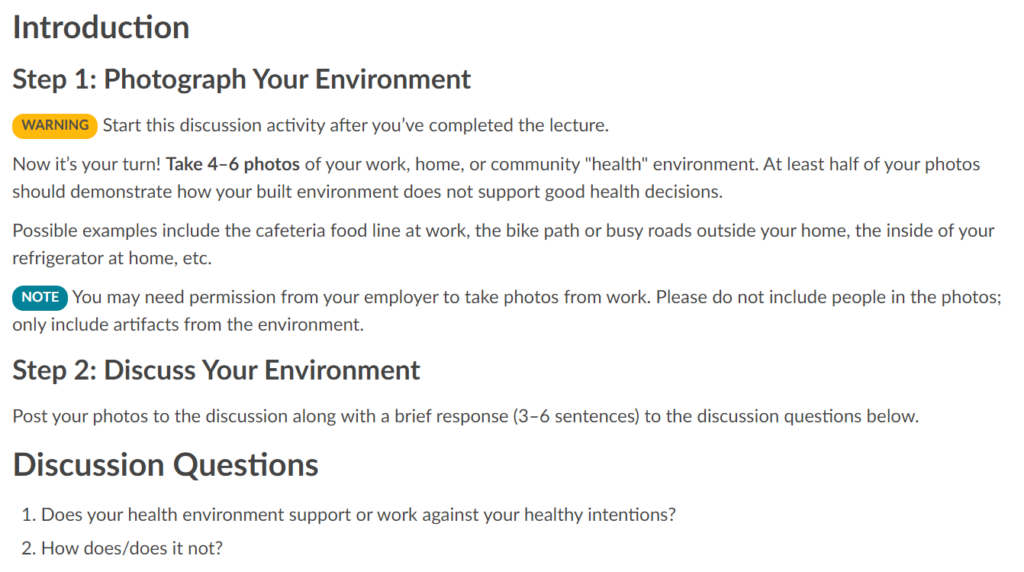
Open accessible text version of previous image
Introduction
Step 1: Photograph Your Environment
WARNING Start this discussion activity after you’ve completed the lecture.
Now it’s your turn! Take 4–6 photos of your work, home, or community “health” environment. At least half of your photos should demonstrate how your built environment does not support good health decisions.
Possible examples include the cafeteria food line at work, the bike path or busy roads outside your home, the inside of your refrigerator at home, etc.
NOTE You may need permission from your employer to take photos from work. Please do not include people in the photos; only include artifacts from the environment.
Step 2: Discuss Your Environment
Post your photos to the discussion along with a brief response (3–6 sentences) to the discussion questions below.
Discussion Questions
- Does your health environment support or work against your healthy intentions?
- How does/does it not?
Keep In Mind
- It is important to remind students about privacy concerns. For example, if they are taking photos at work and sharing them, it would be a good idea to have them get permission first.
- Consider beginning the course with an activity like this to pique interest, then doing it again about halfway through the course to add some momentum.