
Practicing Assignments Before Taking Graded Assessments
Overview
Students unlock a graded assignment by completing a series of practice activities.
Why Use This?
Practice activities for an assignment build confidence, illuminate areas where students may need to refresh their knowledge, and make the course more equitable by allowing students to openly discuss the assignments with their peers and get help on their own schedules.
How Does It Work?
In this applied computing course, three practice activities are grouped together in the module: a pre-quiz, a list of resources to review, and a discussion activity. Students must complete all three activities before the graded assignment becomes available.
Open accessible text version of previous image
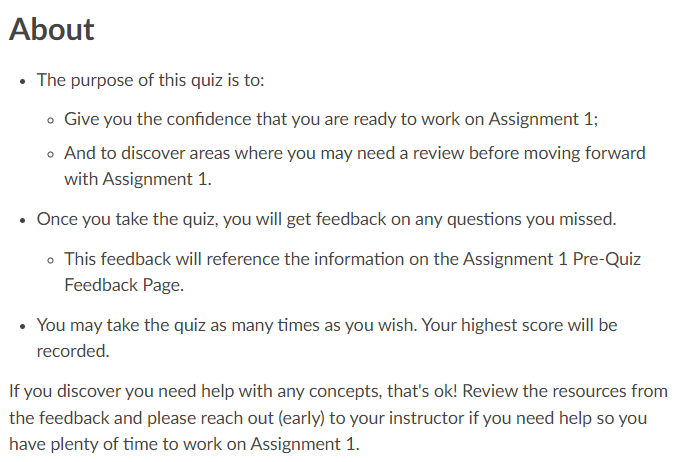
About
- The purpose of this quiz is to:
- Give you the confidence that you are ready to work on Assignment 1;
- And to discover areas where you may need a review before moving forward with Assignment 1.
- Once you take the quiz, you will get feedback on any questions you missed.
- This feedback will reference the information on the Assignment 1 Pre-Quiz Feedback Page.
- You may take the quiz as many times as you wish. Your highest score will be recorded.
If you discover you need help with any concepts, that’s ok! Review the resources from the feedback and please reach out (early) to your instructor if you need help so you have plenty of time to work on Assignment 1.
Open accessible text version of previous image
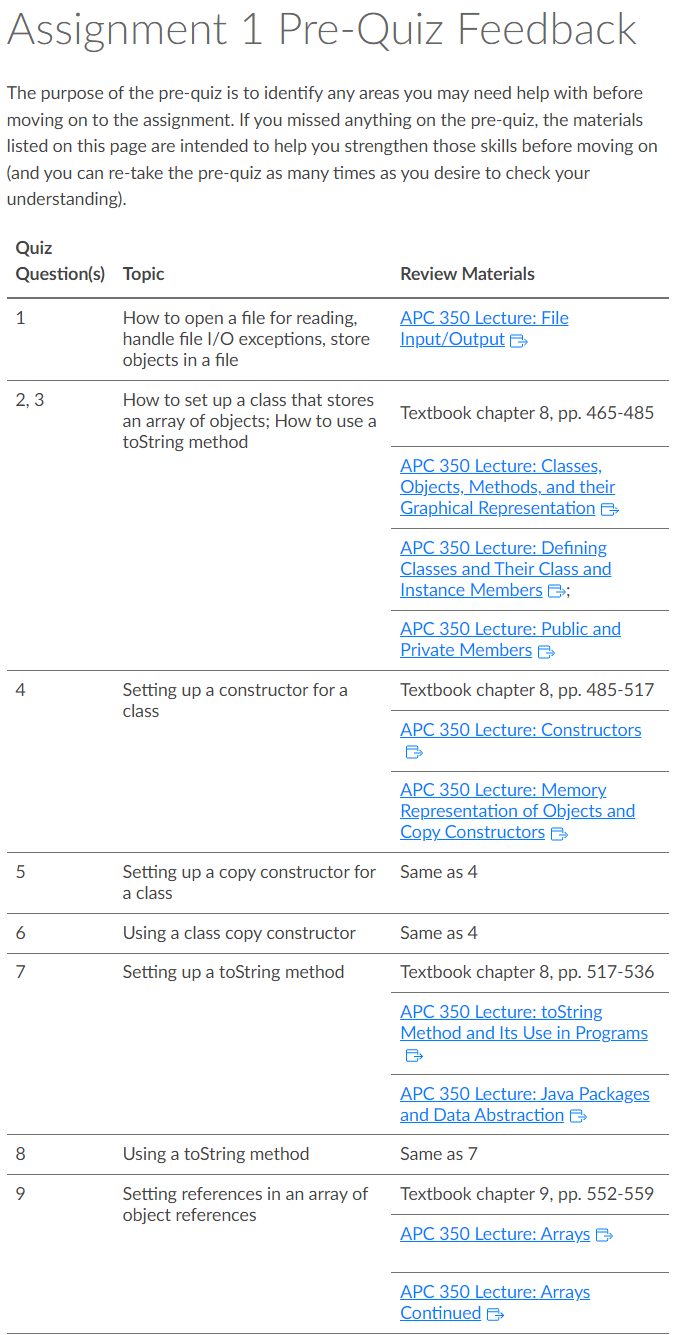
Assignment 1 Pre-Quiz Feedback
The purpose of the pre-quiz is to identify any areas you may need help with before moving on to the assignment. If you missed anything on the pre-quiz, the materials listed on this page are intended to help you strengthen those skills before moving on (and you can re-take the pre-quiz as many times as you desire to check your understanding).
| Quiz Question(s) | Topic | Review Materials |
|---|---|---|
| 1 | How to open a file for reading, handle file I/O exceptions, store objects in a file | APC 350 Lecture: File Input/Output |
| 2, 3 | How to set up a class that stores an array of objects; How to use a toString method |
Textbook chapter 8, pp. 465-485 APC 350 Lecture: Classes, Objects, Methods, and their Graphical Representation APC 350 Lecture: Defining Classes and Their Class and Instance Members APC 350 Lecture: Public and Private Members |
| 4 | Setting up a constructor for a class |
Textbook chapter 8, pp. 485-517 APC 350 Lecture: Constructors APC 350 Lecture: Memory Representation of Objects and Copy Constructors |
| 5 | Setting up a copy constructor for a class | Same as 4 |
| 6 | Using a class copy constructor | Same as 4 |
| 7 | Setting up a toString method |
Textbook chapter 8, pp. 517-536 APC 350 Lecture: toString Method and Its Use in Programs APC 350 Lecture: Java Packages and Data Abstraction |
| 8 | Using a toString method | Same as 7 |
| 9 | Setting references in an array of object references |
Textbook chapter 9, pp. 552-559 APC 350 Lecture: Arrays APC 350 Lecture: Arrays Continued |
Open accessible text version of previous image
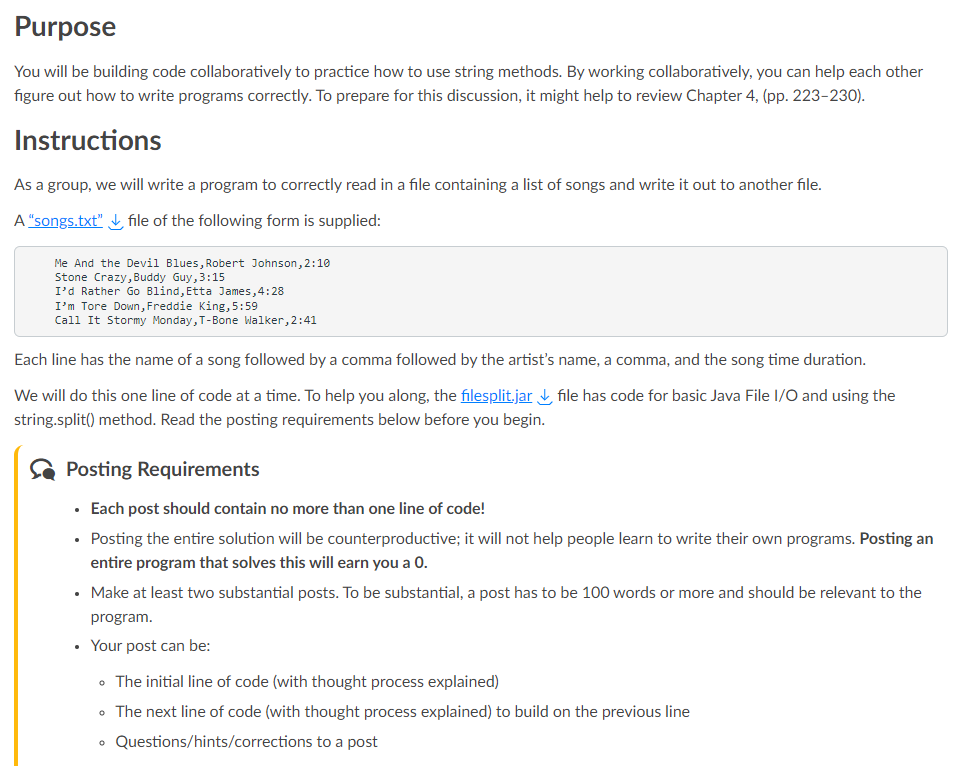
Purpose
You will be building code collaboratively to practice how to use string methods. By working collaboratively, you can help each other figure out how to write programs correctly. To prepare for this discussion, it might help to review Chapter 4, (pp. 223–230).
Instructions
As a group, we will write a program to correctly read in a file containing a list of songs and write it out to another file.
A “songs.txt” file of the following form is supplied:
Me And the Devil Blues,Robert Johnson,2:10
Stone Crazy,Buddy Guy,3:15
I’d Rather Go Blind,Etta James,4:28
I’m Tore Down,Freddie King,5:59
Call It Stormy Monday,T-Bone Walker,2:41
Each line has the name of a song followed by a comma followed by the artist’s name, a comma, and the song time duration.
We will do this one line of code at a time. To help you along, the filesplit.jar file has code for basic Java File I/O and using the string.split() method. Read the posting requirements below before you begin.
Posting Requirements
- Each post should contain no more than one line of code!
- Posting the entire solution will be counterproductive; it will not help people learn to write their own programs. Posting an entire program that solves this will earn you a 0.
- Make at least two substantial posts. To be substantial, a post has to be 100 words or more and should be relevant to the program.
- Your post can be:
- The initial line of code (with thought process explained)
- The next line of code (with thought process explained) to build on the previous line
- Questions/hints/corrections to a post
Keep In Mind
- In computing courses like this one, make sure you restrict students to posting one line of code rather than an entire program so as not to give away the solution to the assignment prompt.
- A variation on the discussion strategy would be to ask students to solve a problem themselves (instead of collaboratively) so they can see how their classmates solved the same problem.